Remanufactured & compatible cartridges since 1989
Brand

Xerox Printer Cartridges & Supplies

Compatible & remanufactured supplies, tested to OEM yield standards. One-year guarantee, same-day dispatch on orders in by 3 PM ET.
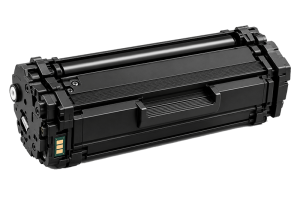
Xerox runs three current printer families and a long tail of older ones, and its cartridges are keyed by number rather than a friendly name. A Laser Recharge stocks compatible and remanufactured toner and drum cartridges across the range: the VersaLink B400/B600 and C400/C500/C600 workgroup units, the AltaLink B8000 and C8000 departmental MFPs, the WorkCentre 3335, 3345, 6515 and 6655 lines, and Phaser lasers going back to the 3260, 6510 and 7100. Xerox toner carries a 106R part code and comes in standard, high-capacity and, on many models, extra-high-capacity; the imaging drum is a separate 101R or 108R “Smart Kit” cartridge that outlasts several toners. Enter your printer model or the 106R/101R code from the old cartridge in the search box. Every Xerox-compatible cartridge ships the same day from South Florida when ordered by 3 PM ET, well below Xerox list price, under our one-year guarantee.

Find supplies for your Xerox printer

Shop Xerox by Supply Type

Prefer to browse?

See all Xerox supplies with filters for colour, type, yield and price.

Browse all Xerox

Buying Xerox cartridges

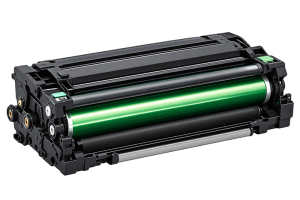
For Xerox, two things matter. Match by the part code (106R for toner, 101R or 108R for the drum) or the printer model, not by a series name, because Xerox does not use friendly names. And treat the drum as a separate line item on every model — it is a distinct Smart Kit cartridge with its own life, and a worn drum is the usual cause of banding and background that gets blamed on toner.

If your machine came through a Xerox managed-print or metered plan, confirm your contract allows third-party supplies before switching. The cartridges fit either way, but the billing terms are a separate question — some print contracts bill by page regardless of whose cartridge is fitted.

Popular Xerox printer families

How Xerox cartridges are numbered

  • 106R toner codesXerox toner part numbers start 106R followed by five digits. Within one printer family the codes differ only by yield: standard, high-capacity and extra-high-capacity. The extra-high version is the cheapest per page for any real volume.
  • 101R / 108R drum (Smart Kit)The imaging drum is a separate cartridge, coded 101R or 108R, rated for roughly two to three toner changes on mono and per-colour on colour machines. Replace it when the printer's drum-life prompt appears, not with every toner.
  • Metered vs sold tonerXerox codes some cartridges for its metered / managed-print plans and others for outright purchase, and a metered-plan printer expects metered toner. Compatible toner is not plan-coded, so it fits either; if you are on a Xerox print contract, check the terms before switching.
  • Colour extras: waste, belt, fuserXerox colour lasers use a waste-toner cartridge and, on larger units, a transfer belt and fuser as scheduled parts. These are replaced on the printer's own maintenance interval, not per toner.

Xerox cartridge FAQs

What do the numbers on a Xerox cartridge mean?
Xerox uses a part code, not a name. Toner starts with 106R, the imaging drum with 101R or 108R, followed by five digits. Within a printer family the toner codes differ only by yield. Match by your printer model or by the code on the old cartridge.
Do I need to replace the Xerox drum with every toner?
No. The 101R / 108R drum (Smart Kit) is a separate cartridge rated for roughly two to three toners on a mono machine. Replace it when the printer reports drum life, or when you see repeating marks at a fixed spacing.
My Xerox is on a metered or managed-print plan. Can I use compatible toner?
Compatible toner is not plan-coded, so mechanically it fits either a metered or a sold machine. But if you are under a Xerox print contract that supplies toner, check the contract terms first — some bill by page regardless of whose cartridge is fitted.
Will a compatible cartridge trigger a warning on my VersaLink or AltaLink?
It may show a non-genuine notice, but Xerox firmware does not block third-party toner or drums. Print quality and page count are unaffected, and the message can be dismissed.